Android Auto
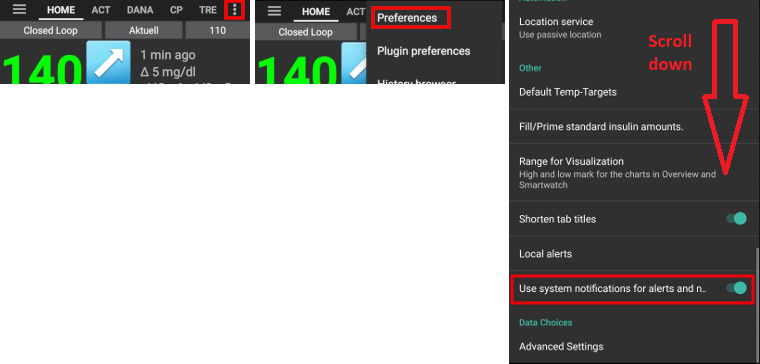
AndroidAPS settings for Android Auto
Používat systémové notifikace pro výstrahy a oznámení:
- Open 3-dot-menu on top right of home screen
- Nastavení
- Scroll all the way down
- Activate “Use system notifications...”
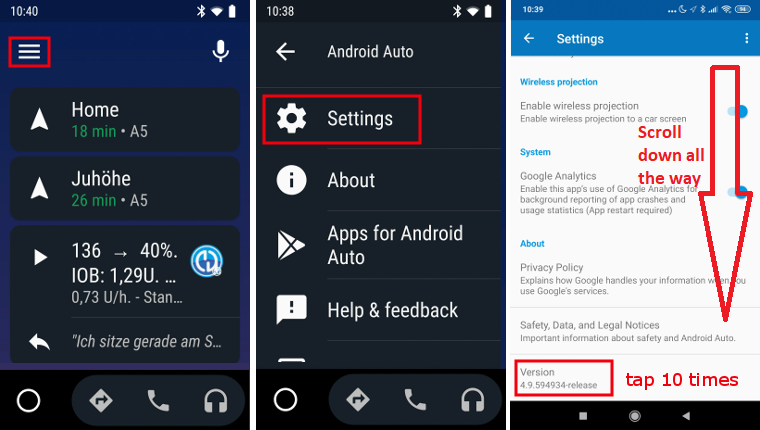
Settings in Android Auto app on your phone
As AAPS is no official Android Auto app notifications have to be activated in Android Auto.
- Open Android Auto app on your phone.
- Tap hamburger menu
- Select settings
- Scroll down all the way to the bottom of the list and tap version no. 10 times until message “Developer mode enabled” is displayed.
- Open 3-dot-menu on top right corner
- Select “Developer settings”
- Scroll down all the way to the bottom of the list and activate “Unknown sources”
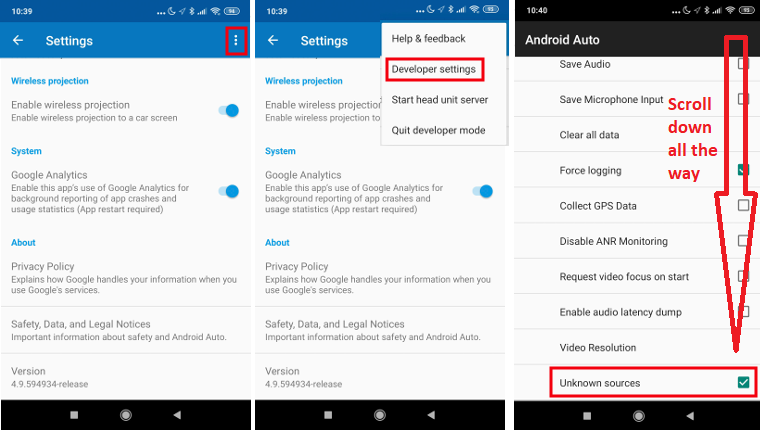
- Nyní můžete opustit režim vývojáře, pokud chcete. Chcete-li jej opustit, klepněte na tři tečky vpravo nahoře.
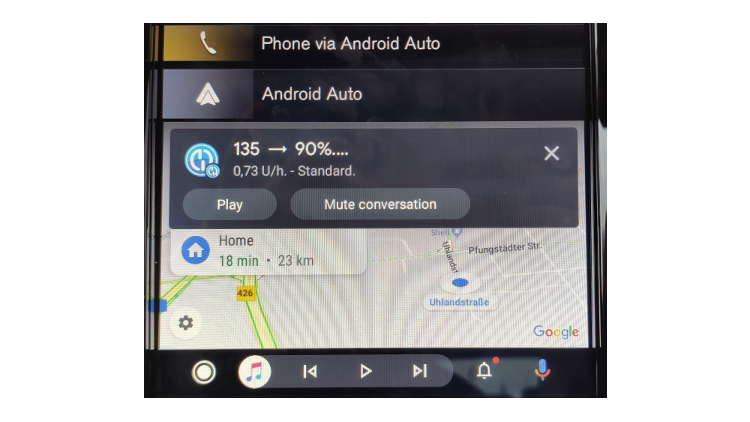
Show notifications in car
- Tap the bell icon on the lower menu bar in Android Auto in your car
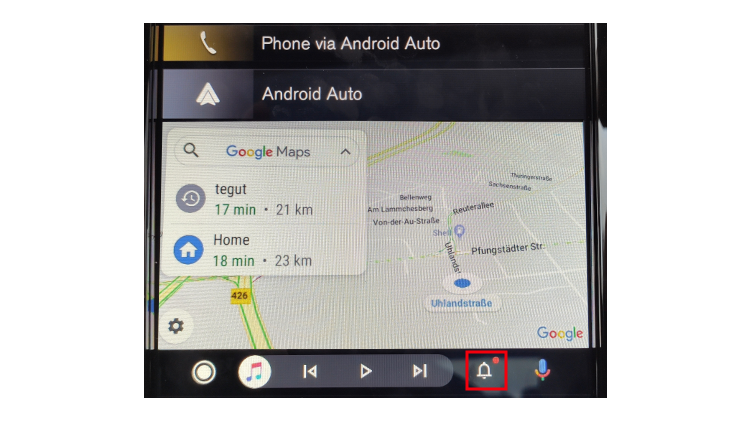
- CGM values wil be shown as follows:
Poradce při potížích:
- If you don’t see the notification, check if you allowed AAPS to show notifications in Android and if Android Auto has access rights to notifications.